
Should You Film Horizontal or Vertical First?
A beginner guide built from real creator questions across gaming, videography, YouTube, Twitch, and real-estate workflows. The short answer: choose based on where the video needs to live first — then plan your adaptation workflow before it starts wasting your time.
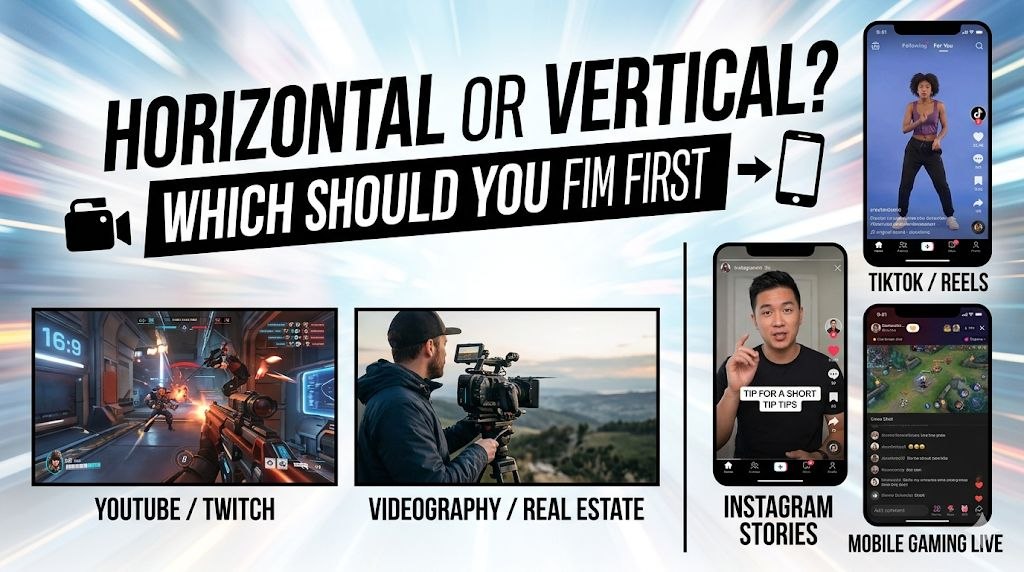
Quick answer
Horizontal is usually the safer master. It preserves wide composition, works naturally for YouTube and gameplay, and gives you more flexibility later.
Vertical is often the better native format when the real destination is Shorts, Reels, TikTok, or any phone-first feed.
The real beginner mistake is not choosing the “wrong” format. It is waiting until the edit is done and then discovering you now need to crop, reframe, caption, and export the same video again for another platform.
Why this question keeps coming up
This is not just a format debate anymore. It is a distribution problem.
Across the creator threads we reviewed, the same tension kept showing up in different industries:
Gaming creators
They often prefer horizontal because the source content is already 16:9. Cropping that into vertical can cut away context, HUD elements, or the action itself.
Real-estate and client work
Beginners keep asking why they should shoot horizontal if so much of the final content ends up on Reels or other mobile-first feeds.
Short-form repurposing
Creators with one strong long-form source clip want a clean way to turn it into multiple short vertical cuts without rebuilding everything.
Dual-platform streaming
Streamers increasingly want one horizontal workflow for Twitch or YouTube long-form, plus a vertical workflow for Shorts or vertical live surfaces.
When horizontal is the smarter first choice
Choose horizontal first when the content naturally depends on width. That includes gameplay, screen-heavy content, interviews framed for YouTube, landscape tours, and anything where side information matters.
1. Gaming is still naturally wide
Several gaming-related threads keep circling the same issue: games are built for 16:9 viewing, so vertical crops can feel cramped fast. If your core product is gameplay, commentary, a desktop capture, or a horizontal live stream, horizontal still makes the most sense as the master.
2. Horizontal gives you the safest reusable master
If you expect to publish to YouTube or deliver a long-form version to clients, horizontal remains the safest base. Even in real-estate discussions, where social platforms push creators toward vertical, many beginners are still trying to protect a version they can reuse later.
3. Beginners usually frame wide more consistently than they frame tall
Many new creators have more intuition for composing a wide frame than a phone-first frame. If you do not yet have a strong vertical language for headroom, text placement, and subject centering, horizontal can be the less risky starting point.
When vertical should lead
Choose vertical first when the platform is clearly vertical-first and the content is being made for phone viewing from the start.
1. Shorts, Reels, and TikTok reward native-looking framing
If the clip is designed for discovery in a vertical feed, native vertical framing usually looks better than an after-the-fact crop. Your subject fills more of the screen, the composition feels intentional, and captions are easier to place without fighting the edges.
2. Real-estate and mobile-first promos often live on vertical platforms first
That is why new real-estate creators keep asking whether they should just shoot vertical to begin with. If the final deliverable is primarily a one-minute social teaser, vertical may be the right first format rather than a compromise.
3. Vertical first can save you one round of cleanup
When the final destination is already known, shooting vertical can eliminate one entire resizing pass. That matters most when your workflow is lightweight and you do not want to spend an extra hour reframing clips that were never meant to be wide.
What to do if you need both
This is where most workflow pain actually begins.
Once a creator says, “I need YouTube, Shorts, and maybe another mobile version too,” the format debate stops being theoretical. Now you are dealing with:
- reframing the same footage more than once
- moving captions so they do not cover the subject
- rechecking safe areas for every platform
- exporting multiple cuts from one edit
If you know you need both, plan for both before you shoot. Leave more margin around the subject, avoid placing crucial action at the far edges, and assume that a clean horizontal frame will not automatically become a clean vertical crop.
A practical beginner workflow looks like this:
- Decide the primary destination before shooting.
- Frame the source footage with adaptation in mind if a second format is likely.
- Edit one strong master version first.
- Only then generate or resize the secondary format instead of improvising both at once.
A simple beginner decision checklist
Start with horizontal if…
- your main destination is YouTube or long-form video
- you are filming gameplay or screen-based content
- you need the safest reusable master
- you are not yet confident composing vertical-first shots
Start with vertical if…
- the clip is made specifically for Shorts, Reels, or TikTok
- phone-first viewing is the whole point
- you want the composition to feel native, not adapted
- you know the wide version is not the main product
The simplest beginner rule: do not ask which format is best in general. Ask where people will actually watch the video first.
Where OmniFit fits naturally
Most creators do not get stuck because they cannot export 9:16 or 16:9. They get stuck because one good source clip now needs to live in both places.
If your bottleneck is adaptation rather than editing, OmniFit is most useful after you already have a strong source video and need a faster path into the second format without rebuilding the whole thing by hand.
Reddit source threads used for this article
This post is not based on one abstract opinion. It was built from the recurring creator questions showing up across multiple communities. These were the most useful threads for beginner framing advice and platform-adaptation pain.
Do You Shoot Everything Horizontal and Crop for Reels Later?
A clean workflow question about whether creators should keep a horizontal master and crop later for Reels and Shorts.
Shooting in horizontal, crop for vertical, or shoot in vertical?
Useful evidence that mobile-first client work keeps pushing new shooters toward vertical, even when they still want a reusable horizontal workflow.
Horizontal or Vertical for video shoot?
A very beginner-style version of the same tension: tutorials are wide, social feeds are tall, and nobody wants to lock into the wrong workflow.
Need help: Horizontal video > Vertical short (with captions)
Excellent evidence that the real pain is often the repurposing workflow, not just the initial recording format.
How can I utilize shorts as a gaming channel when all video games have a 16:9 aspect ratio?
Direct support for the idea that gameplay content is often naturally horizontal and awkward to force into vertical without losing information.
Converting horizontal videos to shorts / How to use horizontal stream for Twitch and vertical on YouTube at the same time?
Together these show how fast the problem becomes multi-platform: one format for the live or long-form version, another for discovery surfaces.