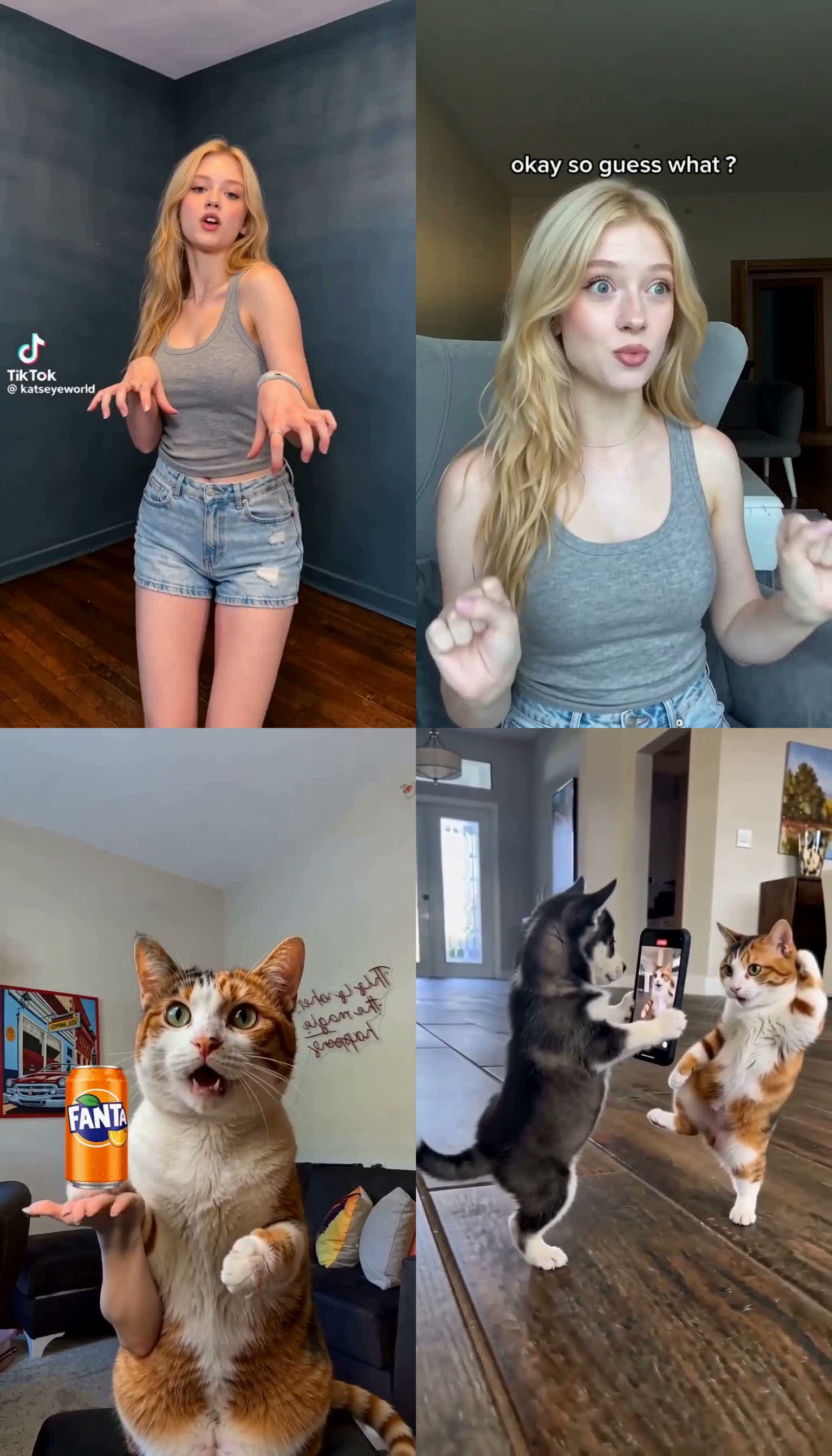
What actually worked in these Ref2VA tests
The easiest mistake is treating every swap type like the same task. It is not. The model behaves very differently depending on whether the job is identity replacement, role isolation, species change, or background replacement.
Six practical reads from the runs
Best category overall. The cleanest results came from short, single-subject clips with readable motion and a clear replacement identity.
More stable than replacing both roles, but this result still had a real timing problem: parts of the dialog did not always feel synced to the right person.
Selective replacement can work, especially when the unaffected subject and props are explicitly frozen and the clip is split into 4 to 6 second chunks.
Scene preservation can be decent, but arms and hands often survive, especially around object interaction.
Much weaker than human → human. The model can isolate a role, but it tends to drift into portrait-like cat shots or leave human remnants.
Role-specific clothing can be preserved, and this keep-outfits case also held speaking timing better than Case 2, but stronger wardrobe preservation can start to weaken same-person identity across both roles.
When to start from simple3 and when to switch to reddit
simple3 is the safer start for one clear subject
Use the simple3 family when the job is fundamentally one subject in, one subject out.
- Single-person dance or performance swap
- One identity replacing another identity
- Full-body cases where the motion path is already clean
simple3.prompt.txt is the base template, and simple3-girl-dance-hires.prompt.txt was one of the cleanest one-person human → human runs because it focused on the replacement subject's appearance and kept the scene simple.reddit is better when only one role or one subject should change
Use the reddit-style structure when the real challenge is not identity alone, but selective replacement.
- Two-role dialog where only one speaker changes
- Two animals where only one animal changes
- Cases with important props that must remain intact
reddit.prompt.txt is the base template, and reddit-girl-first-role-only-4s.prompt.txt plus reddit-replace-right-dog-and-phone-dog-with-cat-4s.prompt.txt both worked because they explicitly named the subject to replace and the subject to preserve.The prompt edits that mattered most
1. Say exactly which role changes and which role stays
- Use language like
Replace ONLY the first/light-shirt roleorDo NOT replace the left-side husky puppy. - When this is missing, the model is more likely to either replace everything or mix identities.
2. Preserve pose and gesture by naming them
- For dialog cases, writing the actual pose beats helped more than a vague “preserve pose” instruction.
- Examples: open-palmed flourish, head tilt, clasped hands, raised-paw reacting gesture.
3. Scene integration must be explicit for animals
- Without this, human → cat often collapses into a nice-looking portrait animal instead of a scene-consistent replacement.
- Prompting for original room, framing, and “not a standalone studio portrait” helped, but did not solve hands fully.
4. Multiple references help identity, but not by magic
- For human → human dance, a second reference improved consistency somewhat.
- It was useful, but not a dramatic jump to perfect identity lock.
5. Tiny secondary screens are a weak point
- Main-subject replacement can work while the tiny phone-screen subject stays ambiguous or half-preserved.
- The model prioritizes the main body in the scene over the little screen-in-screen detail.
One person → one person and two-subject selective replacement are the best starting points
If you want one simple starting rule, use this: first test the easiest solvable structure, not the most exciting idea. For Ref2VA, that means one clear subject or one clearly named replace-only target.
When the task becomes “replace both roles,” “replace the background only,” or “make a human become an animal while preserving hands and object interaction,” the failure rate goes up quickly.
Why 4 to 6 second segments were the practical rule
- 4-second runs were fast enough for prompt iteration.
- 6-second runs were still manageable for long clips without overcommitting to a bad prompt.
- Longer clips were more reliable when split into 4 to 6 second chunks and stitched after generation.
- We kept the same prompt logic across chunks so the replacement rule stayed stable.
What I would recommend to creators after these tests
Single-person human swaps
If you are just checking whether Ref2VA is useful for your workflow, start with short one-person human → human tests.
Replace-one-role or replace-one-subject jobs
These are a much better second step than “replace everything” ideas because they teach you whether role isolation is working.
Human → animal edits with visible hands or props
They can produce interesting outputs, but they are much more likely to leave hands, preserve the wrong limb structure, or drift into portrait-like compositions.