

This is not just one model replacing another.
It is a shift from standalone hype to built-in workflow. That sounds less dramatic, but for actual creators it is usually the more valuable move.
When a video model lives inside the place where you already cut clips, test hooks, swap assets, and package versions, it becomes easier to use repeatedly. That matters more than one shiny demo cycle.
Why this story feels bigger than a headline
Creators do more with a model they can touch in-context than with one that mainly exists as a prestige brand moment.
The closer generation sits to trimming, timing, captions, music, and export, the easier it becomes to use every day.
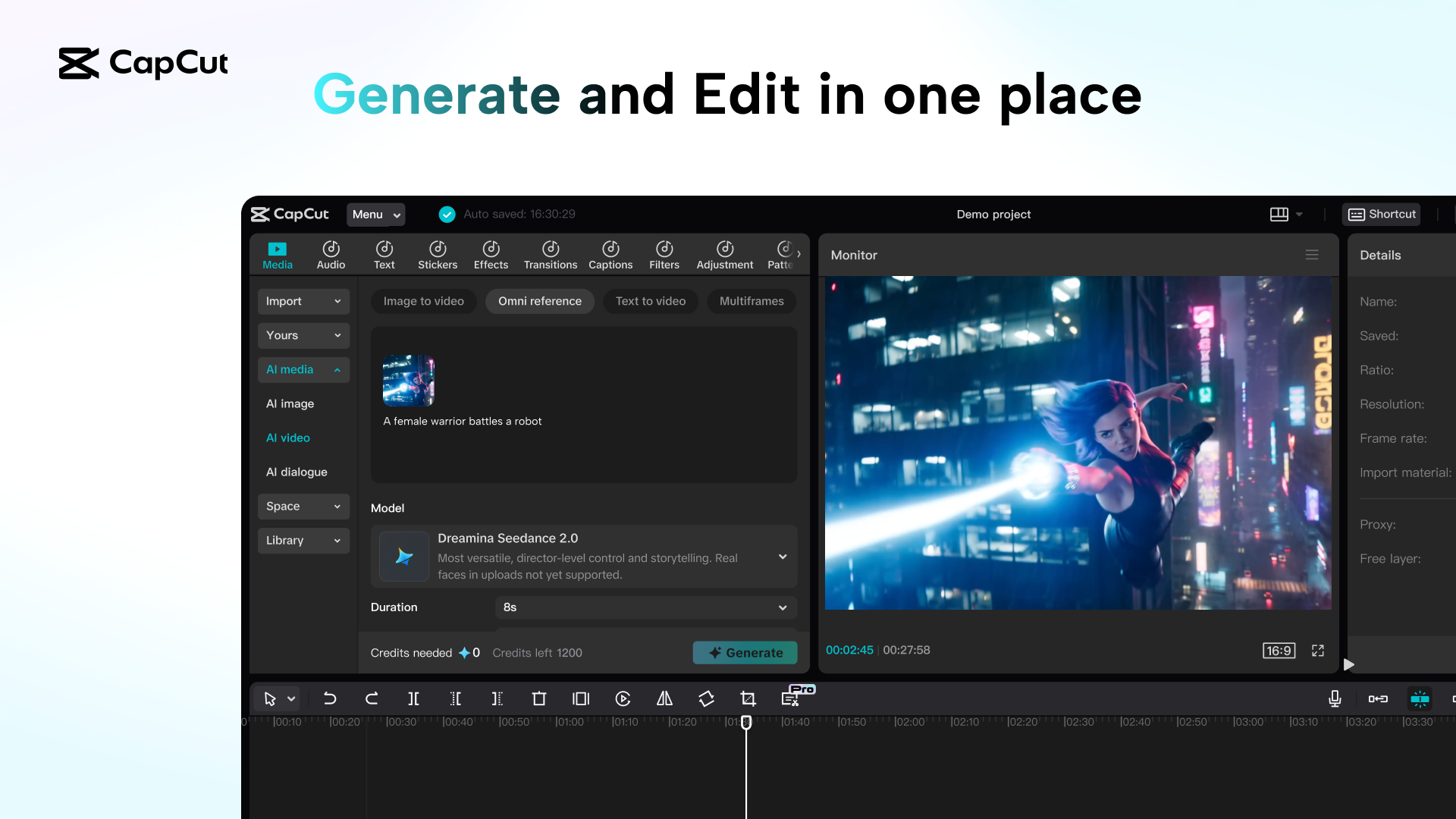
Prompt, image, and reference-video inputs are exactly the kind of handles creators need when they are shaping shots instead of writing abstract demos.
If ByteDance keeps rolling this through markets where CapCut is already sticky, the product advantage compounds fast.
What Seedance 2.0 gives AI video creators
The interesting part is not just model quality. It is the combination of inputs and placement. A tool like this becomes much more usable when it accepts the exact ingredients creators already have on hand.
The best workflow is probably not full AI from zero
For most creators, the stronger move is not “make everything inside one prompt.” It is a tighter chain:
Use an image, frame, or rough sequence idea instead of only writing a vague cinematic prompt.
Keep clips short at first. You are testing motion, framing, and mood, not trying to finish the whole piece in one go.
Move fast between generation, trim, captions, rhythm, and replacement. This is where CapCut integration becomes valuable.
Treat generation like shot development. Keep the good takes, then build the final video around them.
What to do this week if you make AI videos
- Stop chasing only the most famous model name.
- Prioritize the tool that removes the most workflow friction.
- Test prompt-to-video, image-to-video, and reference-video with the same shot idea so you can compare what actually holds up.
- Build around the clips you can edit quickly, not just the ones that look impressive in isolation.
That is why Seedance 2.0 inside CapCut feels like the more important creator story right now. It is not just a model launch. It is a better place for a habit to form.
What this post is grounded on
Reported the Seedance 2.0 arrival in CapCut and provided the news-context lead visual used here.
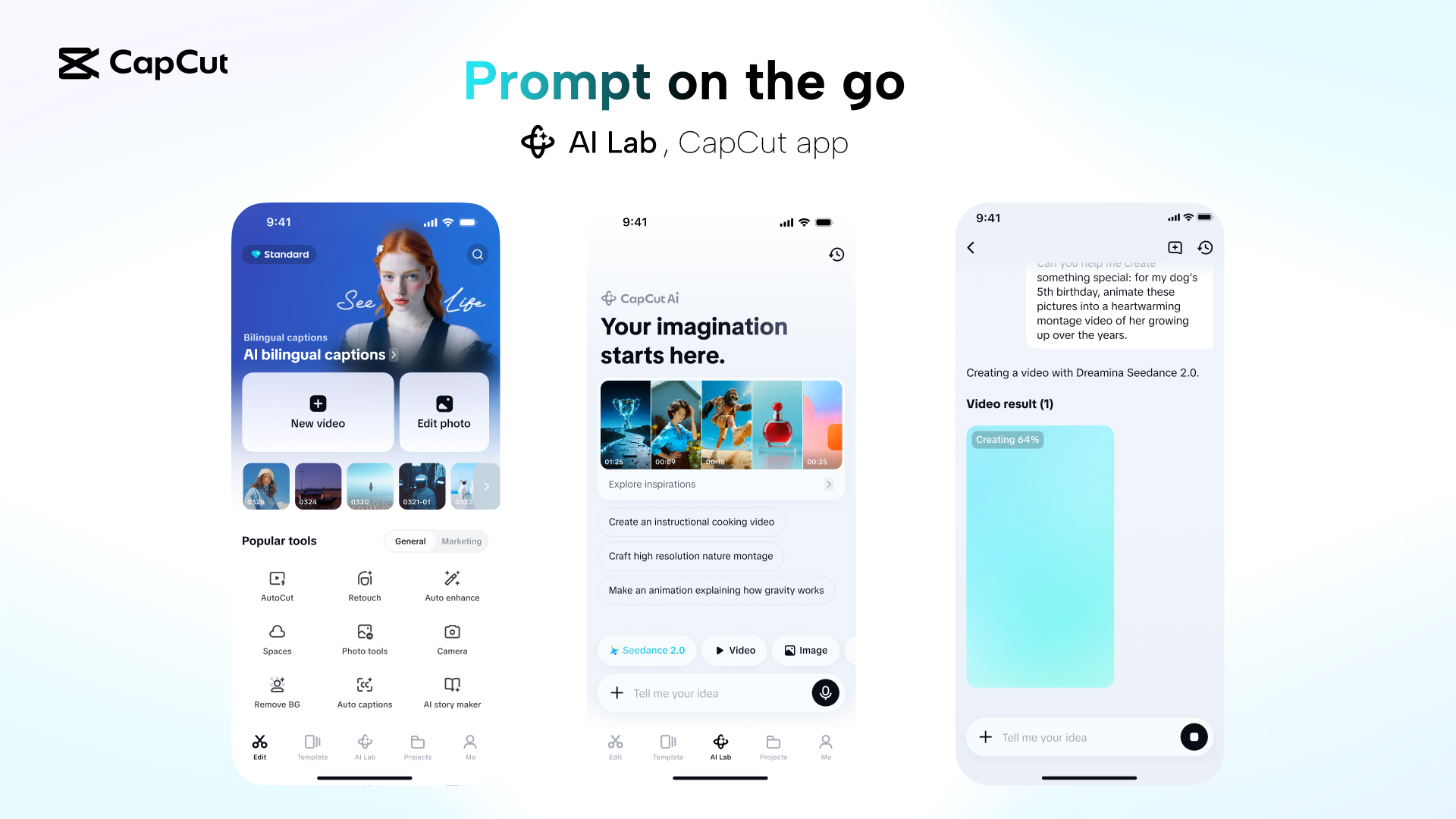
Provided the official product framing plus higher-resolution UI visuals that show how the tool is being presented to creators.